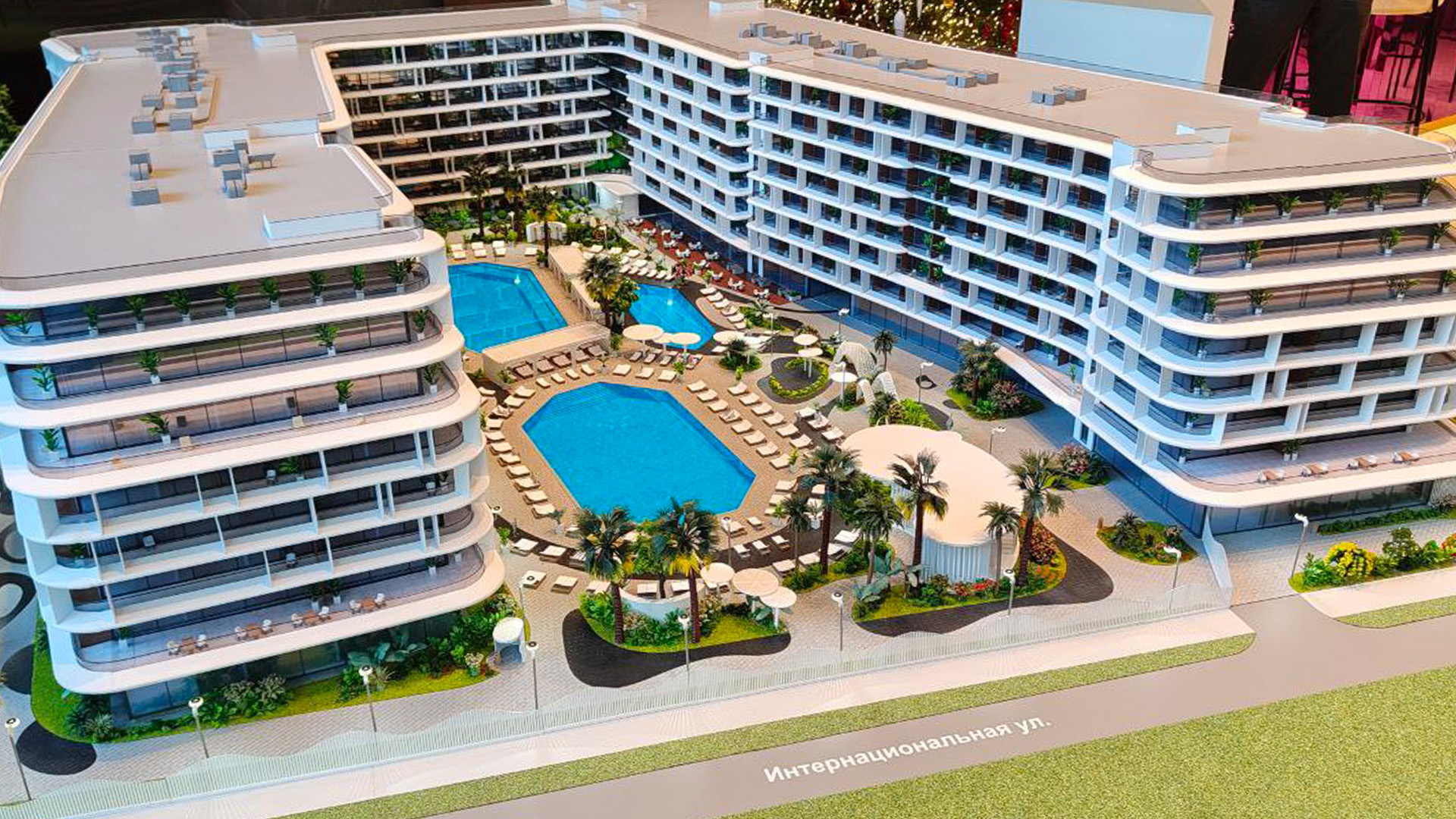

Interactive 3D presentations for property developers
We develop applications for sales offices and exhibition stands: explore a development in 3D, walk through its grounds, select a unit and open its floor plan. Visualisation, interface and sales data work together.
Discuss a projectFrom action to result
From a development to a clear presentation.
We bring architecture, infrastructure and project benefits into a coherent visual story.

- 01
Brief
Establish the audience and the decisions they need to make.
- 02
Structure
Connect the site, buildings and surrounding infrastructure.
- 03
Visuals
Prepare architectural images and supporting graphics.
- 04
Sequence
Guide the presentation from an overview to the details.
- 05
Presentation
Adapt the material for a meeting, website or large display.
Brief → Structure → Visuals → Sequence → Presentation
Show the development before it is built
A sales manager opens the development on a large screen, changes the viewpoint and explains the grounds and surrounding area. The presentation then moves to a building and a unit, showing its position, floor plan and details. The route through the application can follow the buyer’s questions.
We create the 3D scene and interface, program navigation and selection, and connect the data. We use Unreal Engine for real-time 3D presentations, with scenes and functions scoped for the specific development.

What the application can show
- Buildings and surroundings. Architecture, landscaping, roads, parking and nearby amenities, with selectable viewpoints and information.
- Units and floor plans. Building, floor and unit selection, followed by area, plan and description.
- Property filters. Area, budget, room count and other available catalogue attributes.
- Walkthroughs. Move from the overall view to the grounds, communal areas or interiors, with each area modelled to the required level of detail.
- Availability and prices. Load unit details and status. A CRM connection requires agreement on fields, access and update frequency.
- Additional formats. Touch interaction, a VR session or physical model control can be specified as additional parts with their own hardware requirements.

A typical buyer presentation
- Overview. Explain the location and layout of the development.
- Buyer requirements. Apply filters and show suitable options.
- A specific unit. Open its position, floor plan and details.
- Life in the development. Explore the grounds, amenities and prepared interior scenes.
A short self-guided exhibition experience and a detailed sales presentation need different routes through the content. We plan those routes during interface design.
Our work
- Review architectural materials, unit data and the sales team’s requirements.
- Create or adapt models, materials, lighting and surroundings for real-time use.
- Design the interface and navigation from overview to unit.
- Develop the application and connect agreed content and data sources.
- Test performance and controls on the chosen computer and display.
- Set up launch and demonstrate presentation and data-update procedures to staff.
What you receive
A working application build for the agreed hardware, the prepared scene within the application, catalogue and interface, and launch and update instructions. Source materials, access and ongoing support are specified in the scope.
Local content can be prepared for offline use. CRM updates require access to that system. Computer requirements depend on scene complexity and are tested before installation.
Connect the presentation to a physical model
Selecting a unit on screen can illuminate its counterpart in a scale model. For Mandarin Garden Sochi we developed software control, lighting scenarios and CRM integration; the physical model was made by Maklarin.
Start with your project materials
Send a project description, plans or an available 3D model, a sample unit catalogue and the intended presentation setting. Name the CRM if integration is required. We will propose the first version’s scope, required materials and a cost estimate.
The next step
Let’s discuss your project
Tell us what you need for “Interactive 3D presentations for property developers”, where the result will be used and when you need it. You can include links to existing materials or a specification.
Discuss this service