
Software for exhibition stands
Touchscreen presentations, catalogues, quizzes and content control for exhibitions. Visitor journeys, interface design, software and hardware integration.
Discuss a projectFrom action to result
Different screens. One experience.
Software connects content, devices and visitor actions across an exhibition stand.

- 01
Action
A touch or operator command starts the experience.
- 02
Logic
The application selects the content and the next state.
- 03
Devices
Commands reach media servers and connected equipment.
- 04
Sync
The visual sequence changes across the display surfaces.
- 05
Exhibition
The visitor experiences one coherent story in the space.
Action → Logic → Devices → Sync → Exhibition
Service overview
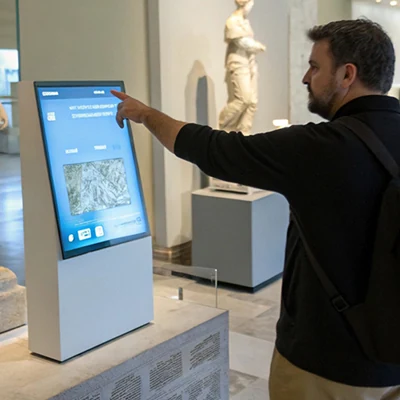
We develop applications for touchscreens, multimedia tables and exhibition installations. A single project connects the visitor journey, interface, media content and equipment. Visitors choose the subjects that interest them and control the presentation, while the stand team receives a clear way to launch and operate the application.
What the application can do
- Present products and projects. A catalogue with sections, detail pages, images, videos and routes to further information. Its structure can follow industries, locations, facilities or a product range.
- Explain a complex subject. An interactive map, process diagram, or regional or company story with a sequence of screens and different viewing paths.
- Give visitors an action. A quiz, quest or choice that produces a relevant response and a clear next step.
- Connect digital and physical elements. Trigger content by choosing or placing an object, touching an installation or using another agreed equipment signal.
- Manage exhibition playback. Content-switching logic, background animation and media versions for the actual display formats.

From the first touch to the next visitor
We design the complete operating cycle: the invitation screen, the first interaction, topic selection, content viewing and return to navigation. We define what happens after repeated taps, a period of inactivity and the end of a sequence. These states matter on a stand used by many different visitors throughout the day.
For example, a regional presentation can let a visitor choose a location on a map, watch a short film and move to a nearby location. A stand representative may also need a quick route to a particular topic. We establish the screens and application behaviour before development.
OM's work
- Scenario and structure. We review the client's material, identify the topics and map the screens and actions.
- Interface and content. We design for the display's size and orientation, preparing text, graphics, animation and video within the agreed scope.
- Software and integration. We implement navigation, interaction mechanics and equipment signals. We identify which functions must work offline and which require a network.
- Testing on the target hardware. We check touch input, readability, playback, transitions and restoration of the initial state. Installation and launch are coordinated with the technical team and stand contractor.
Chukotka: A World of Real People
For the Chukotka Autonomous Okrug exhibition at the Russia exhibition and forum, we developed a multimedia touchscreen presentation. The work covered the scenario, structure, interface, information processing, visual content and code. The combined software and hardware installation was then assembled, tested and launched on site.
The video could not be played. Try opening it directly.
Open videoContent and playback logic for VEB.RF at SPIEF
For SPIEF 2023, SpotViz and OM jointly produced animation for the stand and conference hall. The work included backgrounds, media for different display formats, corner-screen content and a software solution for playback logic. It demonstrates a project in which software and media production follow a shared exhibition plan.

Delivery and launch
The brief defines the handover: an application build for the agreed computer, media files, connection settings, launch instructions and a procedure for restoring the working state. We also establish who installs the equipment, who accepts the application on site and whether our team is needed during the event.
What we need for an estimate
Send the stand concept and plan, an audience description, a list of topics or products and the material already available. Technical planning needs the number, resolution and orientation of the screens, the touch sensor or controller, computer specification, network availability and installation deadline. Where equipment is still being selected, we can help define the software and multimedia requirements.
The next step
Let’s discuss your project
Tell us what you need for “Software for exhibition stands”, where the result will be used and when you need it. You can include links to existing materials or a specification.
Discuss this service